


1
Install the WooCommerce plugin
Download the OrderKrab plugin for WooCommerce. Then open your WordPress admin, go to Plugins → Add New → Upload Plugin, and upload the zip file.
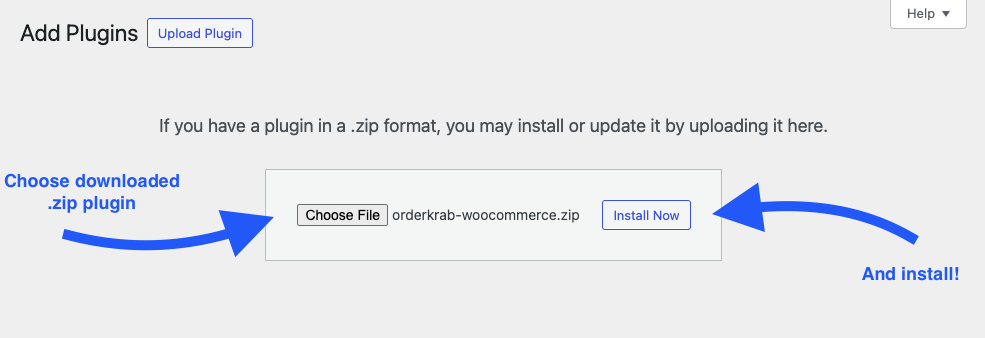
Follow these steps to connect your WooCommerce store and start packing faster.

Download the OrderKrab plugin for WooCommerce. Then open your WordPress admin, go to Plugins → Add New → Upload Plugin, and upload the zip file.
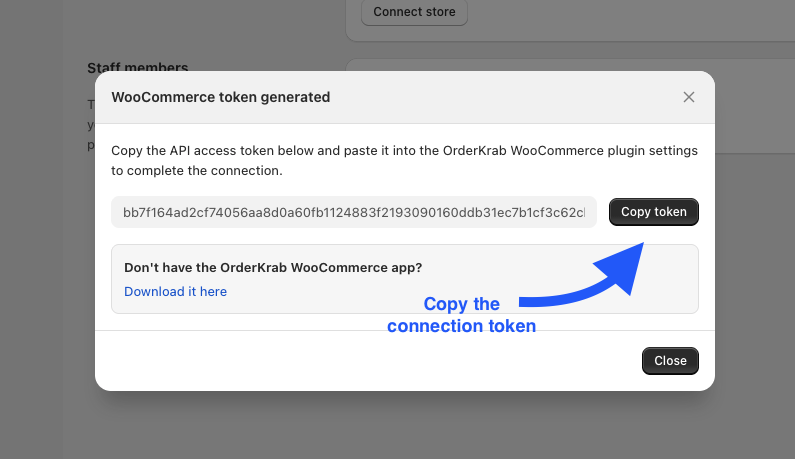
Open your OrderKrab admin, go to Organization → Connect store → WooCommerce, and copy the API token.
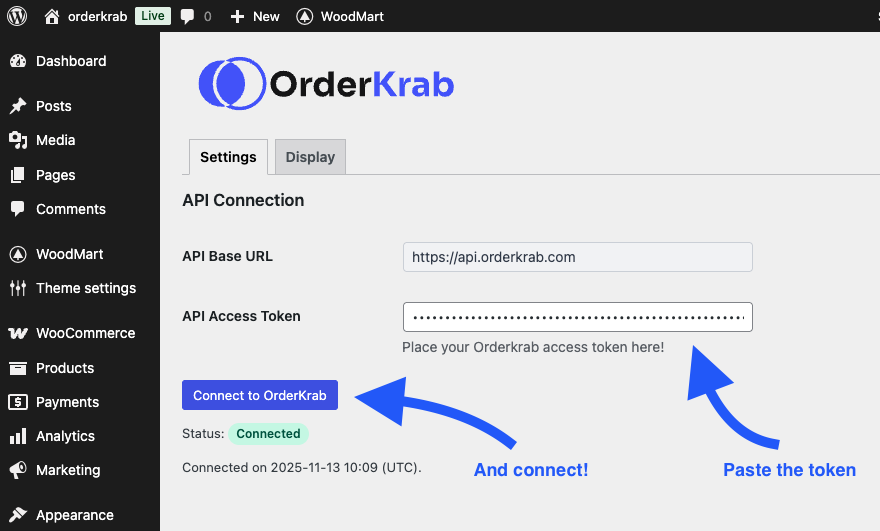
Go back to your WordPress admin, open the OrderKrab plugin, and paste the API token in the Settings tab.
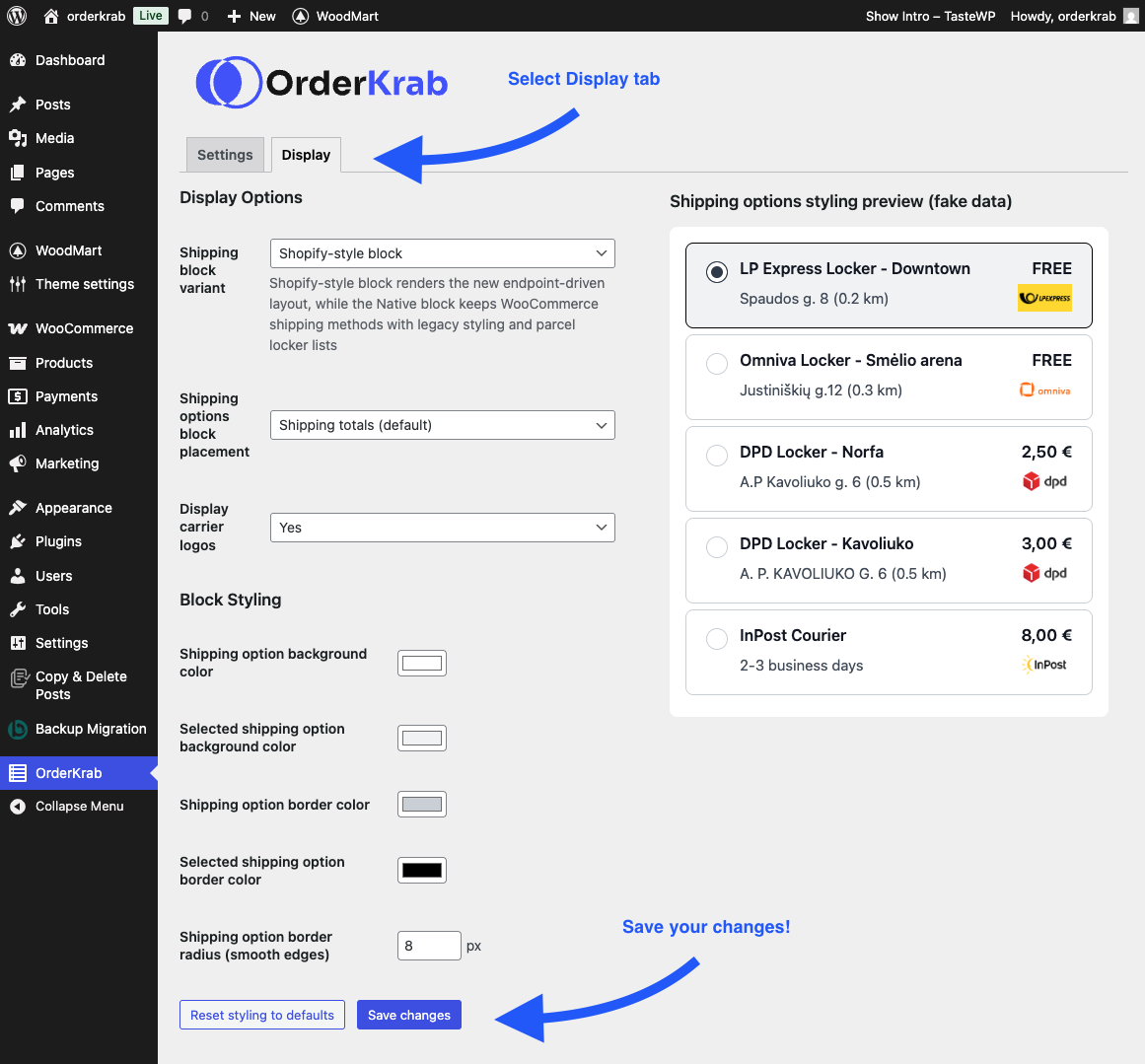
Finally, open the plugin's Display tab and set up your shipping block. You can use our Shopify-style block, or the standard WooCommerce block with a parcel locker dropdown. After that you are ready to go.
Turn on one checkbox under OrderKrab → Emails. Then, whenever you fulfill an order in OrderKrab, the customer's Completed order email includes the tracking number and a Track your shipment button. The checkbox is off by default. For custom email templates, the plugin also saves the tracking details on every order in these two fields:
_orderkrab_tracking_codeThe carrier tracking number for the parcel_orderkrab_tracking_urlA direct link to the carrier's tracking page